Module 3: Gaming
Step 1: First Steam Games
⚡ Fast track
Open Steam from the bottom menu or applications.
First login:
- Steam will update itself (wait a minute)
- Log in with your Steam account
- Go to Library
🎮 Pick a game and click "Install"
Games install just like on Windows.
🐢 I want to understand
Steam on Bazzite – what's different?
- Proton: Bazzite includes Proton, which makes Windows games run on Linux
- Most games work: Check ProtonDB for your favorites
- Performance: Often same or better than Windows!
Settings to check:
- Steam → Settings → Compatibility → Enable Steam Play for all titles
- Use Proton Experimental for best compatibility
For Windows games:
Right-click game → Properties → Compatibility → Force specific tool → Choose Proton version
✅ Checkpoint
Did a game install and run?
📸 How it should look

✅ Steam with your games
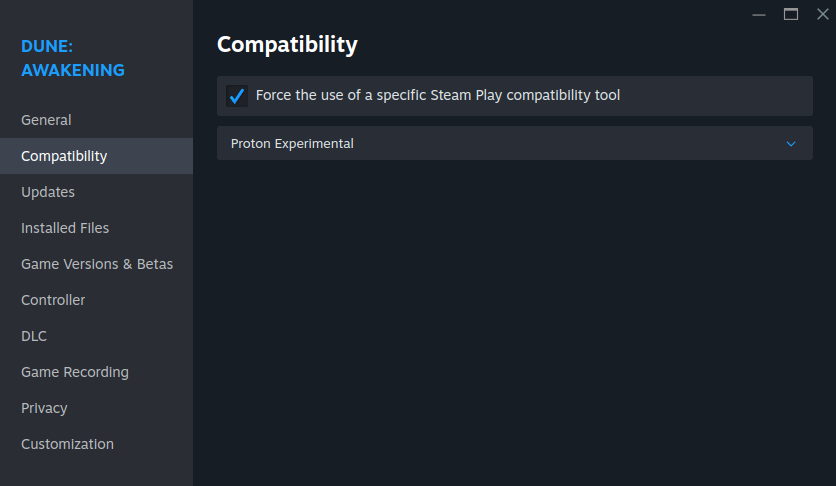
✅ Enable Proton for Windows games